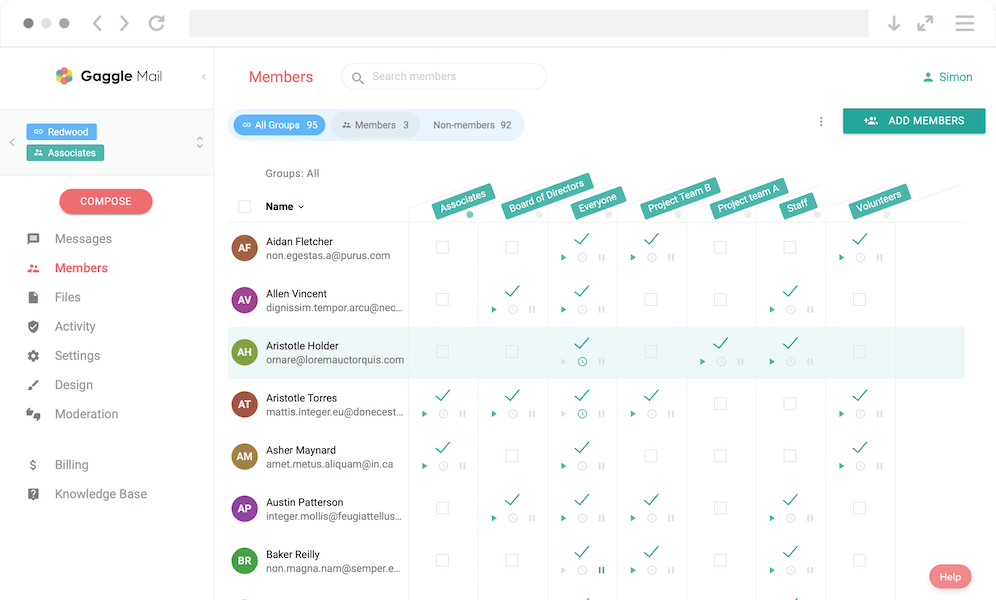
Mailman Alternative Guide
Best Mailman Alternative - Modern Email List Management (2026)
GNU Mailman has been the backbone of self-hosted mailing lists for over two decades. Built by the Free Software Foundation and used by universities, open-source communities, and technical organisations worldwide, it earned its reputation as the standard for anyone who wanted full control over their email lists.
But the world has moved on. Stricter email authentication requirements from Gmail and Yahoo, the painful migration path from Mailman 2 to Mailman 3, and the sheer operational burden of maintaining a mail server have left many organisations questioning whether self-hosting is still worth it.
If you are here because your Mailman instance has become more work than it is worth, you are in good company. Thousands of groups have already made the switch to modern cloud-based alternatives. The most popular is Gaggle Mail - a group email service built for simplicity, reliable delivery, and zero maintenance. And if you are ready to make the move, the support team will handle your entire migration for free.
Why Organisations Are Moving Away from Mailman
Mailman is capable software. Nobody disputes that. But capability and convenience are two different things, and for many groups, the gap between them has become impossible to ignore.
Self-hosting is a never-ending maintenance burden
Running Mailman means running a server. That means operating system updates, Python upgrades, PostgreSQL backups, Postfix configuration, SSL certificate renewals, and a list of cron jobs that grows with every new feature you enable. None of this runs itself. If your server goes down on a Saturday evening, it is your problem to fix.
Mailman does not just need a server - it needs a properly configured mail transfer agent, a web server, a WSGI application server, and two separate databases. Keeping all of those components healthy, patched, and compatible with each other is a meaningful ongoing commitment.
It requires serious technical expertise
Mailman 3 is not a single application. It is a suite of five or six separate components - Mailman Core, Postorius, HyperKitty, django-mailman3, mailmanclient, and mailman-hyperkitty - each requiring independent installation and configuration. The official documentation is upfront about this: it states the software is "not easy to install or run by novices" and is intended for "experienced system developers."
Setting up a production Mailman 3 installation means working with Linux system administration, Python virtual environments, Django configuration, Postfix or Exim mail routing, Nginx or Apache reverse proxying, PostgreSQL database management, DNS records, systemd services, and scheduled tasks. That is a serious list of skills - and most community groups, nonprofits, and associations simply do not have someone with that background on hand.
When the sysadmin leaves, knowledge walks out the door
Many Mailman installations are maintained by a single person - the volunteer who set it up years ago, or the IT staff member who inherited it. If that person leaves the organisation, you are left with a system that nobody fully understands. This is a surprisingly common scenario - and a risky one. Mailman's multi-component architecture makes it especially difficult for someone new to pick up without a deep technical handover.
Deliverability is entirely your problem
With self-hosted Mailman, email deliverability is on you. You need to configure and maintain SPF, DKIM, and DMARC records, monitor your server's IP reputation, manage bounces, and troubleshoot when messages start landing in spam. Gmail and Yahoo tightened their authentication requirements significantly in 2024 and 2025, making self-hosted mail delivery harder than it has ever been. For organisations without dedicated email infrastructure expertise, this is often where things quietly fall apart.
The interface has not kept up
Mailman 2's admin interface was built in the early 2000s and it looks exactly like you would expect. Mailman 3 introduced Postorius and HyperKitty as web-based replacements, but they are functional rather than polished. HyperKitty - the web-based archiver - is still officially classified as beta software. Neither interface is what anyone would call modern, mobile-friendly, or intuitive for non-technical users.
The Mailman 2 to 3 upgrade is painful
Many organisations still run Mailman 2, which is no longer actively developed. Upgrading to Mailman 3 is not a simple version bump - it is effectively a migration to an entirely different system with a different architecture, different configuration, and different database. The official documentation acknowledges there is no turnkey solution for migrating from Mailman 2 to Mailman 3. For many groups, facing that upgrade is what triggers the question: should we just switch to something else entirely?
What to Look for in a Mailman Alternative
If you are evaluating replacements, here is what matters most:
Cloud-hosted, not self-hosted. You want a service that runs in the cloud so you do not have to worry about servers, uptime, or security patches.
Simple setup and administration. Your group admin should not need to understand Python, Django, or Postfix configuration.
Reliable email delivery. The provider should handle deliverability for you - SPF, DKIM, bounce management, IP reputation, the lot.
Real customer support. When something goes wrong, you want to talk to a person - not search through a community mailing list archive for answers.
Fair, transparent pricing. Know what you pay upfront, with a generous free tier for smaller groups.
Easy migration. Switching should be painless, with the ability to bring your existing member list and message archives across.
Gaggle Mail vs Mailman: A Detailed Comparison
Here is how the two stack up across the features that matter most.
| Feature | Gaggle Mail | Mailman |
|---|---|---|
| Setup time | Under 5 minutes | Days to weeks |
| Hosting | Cloud, fully managed | Self-hosted (you provide and manage the server) |
| Pricing | Free up to 200 members; paid plans from $10/mo | Free software, but you pay for hosting, infrastructure, and admin time |
| Technical skills needed | None | Linux, Python, Django, Postfix, PostgreSQL, DNS |
| Interface | Modern, clean, mobile-friendly | Functional but dated (Postorius and HyperKitty) |
| Member management | Simple dashboard, bulk import, self-service join | Command-line tools and basic web forms |
| Customisation | Logo, colours, custom domain (Premium) | Highly configurable (with significant technical effort) |
| Customer support | 24/7 real human support via email | Community mailing list and wiki |
| Deliverability | Managed by Gaggle Mail with delivery reporting | Entirely your responsibility |
| Moderation | Built-in moderation and approval workflows | Built-in moderation tools |
| Message archive | Fully searchable, accessible to all members | HyperKitty (beta) or Pipermail (legacy) |
| Digest option | Daily digest available | Available |
| Account required | No | No |
| Migration | Free migration assistance available | N/A |
Where Gaggle Mail stands out
You are up and running in minutes. Creating a group on Gaggle Mail takes less than five minutes. There is no software to install, no servers to configure, no Python virtual environments to set up, no Postfix to troubleshoot. You pick a name, set up your group address, and start adding members.
Zero maintenance burden. With Gaggle Mail, there is nothing to maintain. No servers, no security patches, no database backups, no cron jobs, no dependency upgrades. The service is fully managed, and it stays that way.
Deliverability is handled for you. Gaggle Mail manages SPF, DKIM, bounce handling, and IP reputation monitoring so your messages reach inboxes reliably. You do not need to worry about Gmail's latest authentication requirements or whether your server IP has ended up on a blacklist.
A modern, clean interface. Both admins and members get an interface that feels like it belongs in 2026 - straightforward member management, clear delivery reports, and settings that anyone can navigate without a technical background.
Real people, real support. Gaggle Mail's support team are available 24/7. If you need help setting up your group, troubleshooting delivery, or migrating from Mailman, they will help. No digging through mailing list archives for answers from five years ago.
Pricing that makes sense. Gaggle Mail is free for groups up to 200 members, which covers the vast majority of mailing lists. Paid plans start at $10/month. There are no server costs, no infrastructure spend, and no hidden operational overhead.
Where Mailman still has a place
To be fair, Mailman is powerful, free, and genuinely open-source software - and for certain use cases, it remains a strong choice. If your organisation has dedicated IT staff, requires full infrastructure control and data sovereignty, or needs deep customisation that only source-code-level access provides, Mailman can deliver that. For large institutions that already run their own mail infrastructure and have the resources to maintain it, Mailman's flexibility is real value. But for most community groups, nonprofits, clubs, and organisations without a dedicated sysadmin, the operational overhead outweighs the benefits.
Other Modern Mailman Alternatives
Groups.io
Groups.io is a feature-rich group email service that includes calendars, file storage, wikis, polls, and chat alongside core email functionality. It is a good choice for communities that need more than just email.
Simplelists
Simplelists is a no-frills mailing list service that handles the basics well. It can be a budget option, though it is less feature-rich than newer platforms.
Listserv
Listserv is enterprise-grade, highly configurable mailing list software with decades of history. Licensing ranges from roughly $2,800 to $13,000+. It is a fit for large institutions with dedicated IT resources, but like Mailman, it carries significant technical and financial overhead.
How they compare at a glance
| Feature | Gaggle Mail | Groups.io | Simplelists | Listserv |
|---|---|---|---|---|
| Free tier | Up to 200 members | Up to 100 members | No | No |
| Ease of use | Very easy | Moderate | Easy | Requires technical skills |
| Custom branding | Yes (Premium) | Yes (Enterprise) | Limited | Yes (with effort) |
| Support | 24/7 email support | Email support | Email support | Paid support contract |
| Extra features | Focused on email | Calendars, wikis, chat, polls | Basic | Highly configurable |
| Hosting | Cloud (managed) | Cloud (managed) | Cloud (managed) | Self-hosted or managed hosting |
| Best for | Groups wanting simplicity and reliability | Groups needing collaboration tools | Budget-conscious groups | Large institutions with IT resources |
How to Migrate from Mailman to Gaggle Mail
Switching from Mailman does not have to be complicated. Here is the general process:
- Export your member list. Use Mailman's admin interface or command-line tools to export your subscriber list as a CSV or text file.
- Export your message archives. Download your mbox archive files from your Mailman server (typically found in the archives directory).
- Create your group on Gaggle Mail. Sign up, choose your group name and address.
- Import your members. Upload your member list or paste addresses directly.
- Import your archives. Send your mbox files to the support team and they will import your full message history.
- Configure your settings. Set moderation rules, branding, digest options, and preferences.
- Notify your members and decommission Mailman when ready.
If you would rather not handle any of this yourself, get in touch with Gaggle Mail support - they will take care of the entire migration at no extra cost.
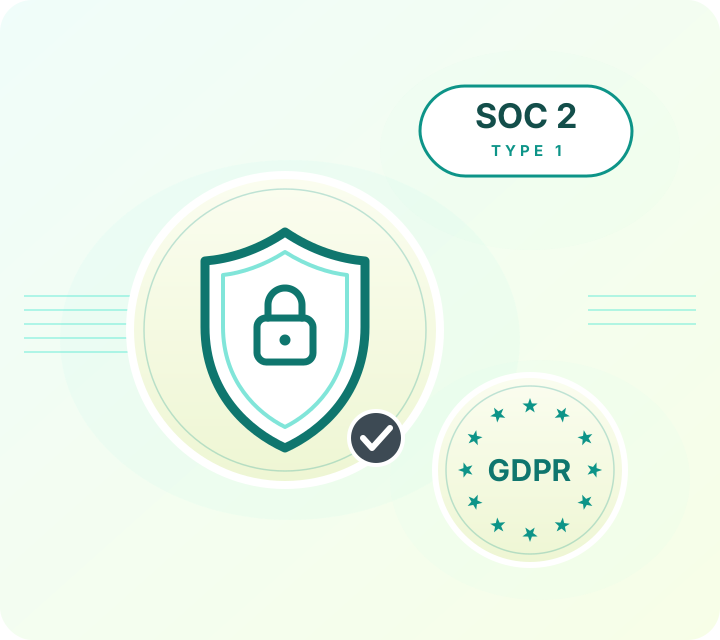
Enterprise ready. Still simple.
Gaggle Mail runs group email for law networks, healthcare organizations, universities, and global institutions. That means we take security review seriously: independently audited, fully documented, and ready for your IT and procurement checklist, while staying simple enough that your members never notice any of it.
- SOC 2 Type 1 audited
- 99.9% delivery rate
- GDPR compliant
- TLS encryption throughout
- Single sign-on (SSO) & MFA
- 24/7 human support
Security questionnaire or procurement requirements? Email help@gaggle.email and we'll get you what you need.
Frequently asked questions
Ready to Move to a Modern Email List?
Start for free - Gaggle Mail is free for groups up to 200 members, with no credit card required. If you are migrating from Mailman, the support team can help with the transition at no extra cost.
What people are saying
Join thousands of communities using Gaggle Mail
“Gaggle Mail transformed how our neighborhood association communicates. It's so intuitive that even our less tech-savvy members participate actively. The moderation tools are exactly what we needed.“

“Overall technical execution and ease-of-use make Gaggle Mail the best option in the market.“

“Solid, stable. Just works. Great interface. Works for everything we need.“

“Amazing alternative to google groups, which forces you to have a gmail account and is complex to join as a user.“

“Your service never fails and when we have questions, you respond immediately!“

“Outstanding service. Whenever we have a question or face an obstacle someone is there to assist.“

“It's straightforward. It works. No advertising banners. We love it!“

“The customer support is outstanding. Any questions we had while setting up our alumni network were answered promptly and thoroughly.“

“I love Gaggle Mail because I have never had a problem. It just works.“

“The migration from our old listserv was smooth and the interface is modern and clean. Our members adapted to it immediately.“

“I use it for a Boy Scout troop. I tried a couple of other applications and yours is by far the best.“