Group Email Explained
Group Email vs Email Marketing: What's the Difference?
If you've ever searched for a way to email a group of people, you've probably been bombarded with results for Mailchimp, Brevo, and other email marketing platforms. But here is the thing: email marketing and group email are two very different tools that solve very different problems.
Picking the wrong one means frustration, wasted time, and a solution that does not actually do what you need. This guide clears up the confusion so you can choose the right tool first time.
Looking for deeper context first? What is group email and what is a listserv are great companion reads.
What Is Group Email?
Group email is built for conversation. Think of it like a group chat, but over
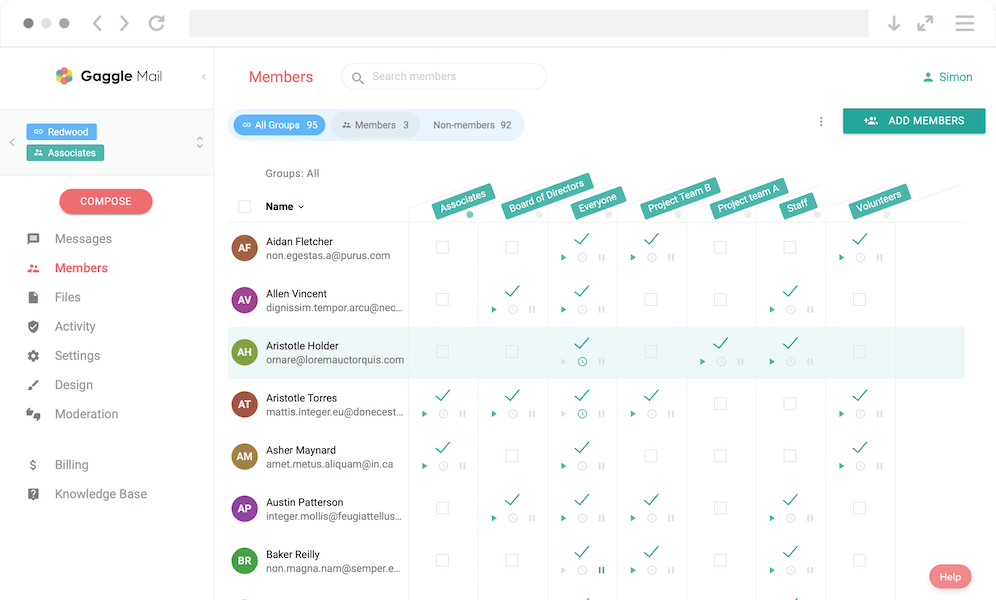
email. You have a shared email address - something like book-club@gaggle.email - and
when any member sends a message to that address, everyone in the group receives it.
When someone replies, their reply goes back to the whole group too. It is two-way by nature. Everyone can start a conversation, everyone can join in, and it all happens through the email apps people already use every day. No logins, no dashboards, no special software to install.
This is the kind of tool that has been around for decades under different names: listservs, mailing lists, and email discussion groups. If you have seen the spelling confusion, listserv or listserve breaks that down.
The groups that usually need this are:
- Clubs and societies - book clubs, hobby groups, local interest groups
- Church and community groups - keeping a congregation or neighborhood connected
- School parent groups - coordinating events, updates, and questions
- HOAs and neighborhood associations - discussing local issues
- Sports teams - organizing matches and sharing updates
- Volunteer committees - planning and coordination
- Families - staying in touch when not everyone uses the same chat app
What Is Email Marketing?
Email marketing is built for broadcasting. One sender - usually a business or organization - sends designed email campaigns to a list of subscribers.
Think newsletters, product announcements, promotional offers, and automated welcome sequences. Subscribers sign up, receive messages, and can unsubscribe, but they do not reply to each other.
Platforms like Mailchimp, Brevo, Constant Contact, Kit, ActiveCampaign, and Campaign Monitor are excellent at one-way campaigns. They are not bad tools. They are just built for a different job.
Key Differences at a Glance
| Feature | Group Email | Email Marketing |
|---|---|---|
| Direction | Two-way (everyone can send and reply) | One-way (one sender to many) |
| Purpose | Discussion and conversation | Newsletters, promotions, campaigns |
| Who can send? | All group members | Only the list owner or admin |
| Replies | Go to the whole group | Go to sender only (if at all) |
| Member management | Members join and leave the group | Opt-in lists with unsubscribe compliance |
| Analytics | Basic delivery and membership | Open rates, clicks, A/B tests, automations |
| Email design | Plain text or simple formatting | Rich templates and drag-and-drop builders |
| Compliance focus | Moderation and spam prevention | GDPR, CAN-SPAM, consent management |
| Best for | Communities, clubs, teams, families | Businesses marketing to customers |
How to Tell Which One You Need
Still not sure? Use this quick decision guide:
You probably need group email if:
- You want members to talk to each other, not just hear from you
- You are running a club, community, team, or family group
- You want everyone to be able to start a conversation
- You do not need fancy templates or advanced campaign analytics
- You want everything to work in people's existing inboxes
You probably need email marketing if:
- You send newsletters, promotions, or business updates
- Only you or your team will send messages
- You need open rates, click tracking, and A/B testing
- Designed templates are important
- You are building a customer or subscriber audience
You might need both if:
You run an organization that needs member discussion and public newsletters. For example, a sports club may use group email internally and email marketing externally. These tools are often complementary, not competing.
Common Mistakes (and How to Avoid Them)
These are the most common traps people fall into:
Trying to use Mailchimp for group discussion. Mailchimp does not support member-to-member conversation. Great for campaigns, frustrating for group chat.
Using Reply All in Outlook or Gmail. Fine for tiny groups, but brittle at scale. People drop off threads, addresses get exposed, and membership is fully manual.
Setting up Google Groups and finding it hard to manage. Google Groups can work, but many teams find it clunky. If that sounds familiar, see this Google Groups alternative guide.
Assuming "mailing list" always means email marketing. Historically, mailing lists were discussion lists. Today the term is used for both, so always check whether the tool is two-way or one-way before committing.
Popular Tools in Each Category
Group email tools focus on conversation between members. Gaggle Mail is a modern option built for this use case. Other examples include Groups.io, Simplelists, Google Groups, and Mailman. For side-by-side details, see our comparison of group email services.
Email marketing tools focus on campaigns, templates, and audience growth. Mailchimp, Brevo, Constant Contact, Kit, ActiveCampaign, and Campaign Monitor are all strong options in that category.
Need a modern listserv alternative?
If you need real group discussion, not one-way campaigns, Gaggle Mail gives you private delivery, configurable replies, moderation, and a shared archive.
Learn more about listserv alternatives and how Gaggle Mail compares.