Listserv Alternative Guide
Best Listserv Alternative - Modern Email List Management (2026)
Is your institution retiring its listserv? Start with listserv hosting for stranded lists
Listserv has been part of the email landscape since 1986. For decades, it was the way universities, government agencies, and large organisations managed email discussion groups. If you have ever been on a departmental mailing list or a professional association email group, there is a good chance Listserv was running things behind the scenes.
But the world has moved on, and many organisations are discovering that what worked in the 1990s does not work so well in 2026. If you are here because your Listserv setup is feeling like a relic - too complex, too expensive, or too dependent on someone who "knows how it works" - you are in good company. Thousands of groups have already made the switch to modern alternatives.
The most popular is Gaggle Mail - a group email service built for simplicity, reliable delivery, and zero maintenance. But before we get into the comparison, let us talk about why so many organisations are making the move. (Starting a list from scratch rather than replacing one? See how to create a listserv.)
Why Organisations Are Moving Away from Listserv
Listserv is powerful software. Nobody disputes that. But power comes with trade-offs, and for many groups, those trade-offs have become hard to justify.
It is expensive
Listserv licensing costs range from roughly $2,800 to $13,000 depending on the edition and configuration - and that is before you factor in hosting, maintenance, and support renewals. L-Soft does not publish exact prices on their website; you need to contact their sales team for a quote. For a university IT department with a dedicated budget, that might be manageable. For a nonprofit, a professional association, or a community group, it is a steep price tag for what is essentially a mailing list.
It requires technical expertise
Setting up Listserv is not a five-minute job. It is a proper software deployment - choosing the right server, installing the software, configuring email routing, managing DNS records, and keeping everything updated and patched. Most organisations need a sysadmin (or at least someone comfortable in a command line) to get it running and keep it running.
If the person who set up your Listserv instance leaves the organisation, you are left with a system that nobody fully understands. This is a surprisingly common scenario - and a risky one.
The interface feels stuck in the past
There is no polite way to say it: Listserv's web interface looks and feels like it was designed in the late 1990s. The admin panel is functional but dense, and regular members navigating the archive or managing their settings often find it confusing. In a world where people expect clean, intuitive interfaces, Listserv's UI is a hard sell.
Self-hosting means ongoing maintenance
If you are running Listserv on your own servers, you are responsible for uptime, security patches, backups, and deliverability. That is a significant ongoing commitment - and if your server goes down on a Saturday, it is your problem (or your IT team's problem) to fix. Many organisations simply do not want that overhead any more.
Deliverability is your responsibility
With self-hosted Listserv, email deliverability is entirely on you. You need to manage SPF, DKIM, and DMARC records, monitor your IP reputation, handle bounces, and troubleshoot when messages land in spam. For organisations without dedicated email expertise, this is often where things go wrong.
What to Look for in a Listserv Alternative
If you are evaluating replacements, here is what matters most:
Cloud-hosted, not self-hosted. You want a service that runs in the cloud so you do not have to worry about servers, uptime, or security patches.
Simple setup and administration. Your group admin should not need a computer science degree.
Reliable email delivery. The provider should handle deliverability for you - SPF, DKIM, bounce management, the lot.
Real customer support. When something goes wrong, you want to talk to a person.
Fair, transparent pricing. No sales calls required. No surprise licensing fees.
Easy migration. Switching should be painless, with the ability to bring your existing member list across.
Gaggle Mail vs Listserv: A Detailed Comparison
Here is how the two stack up across the features that matter most.
| Feature | Gaggle Mail | Listserv |
|---|---|---|
| Setup time | Under 5 minutes | Days to weeks (self-hosted) |
| Hosting | Cloud, fully managed | Self-hosted or L-Soft's ListPlex hosting |
| Pricing | Free up to 200 members; paid plans from $10/mo | $2,800-$13,000+ license; hosting and support extra |
| Technical skills needed | None | Sysadmin-level for self-hosted |
| Interface | Modern, clean, intuitive | Functional but dated |
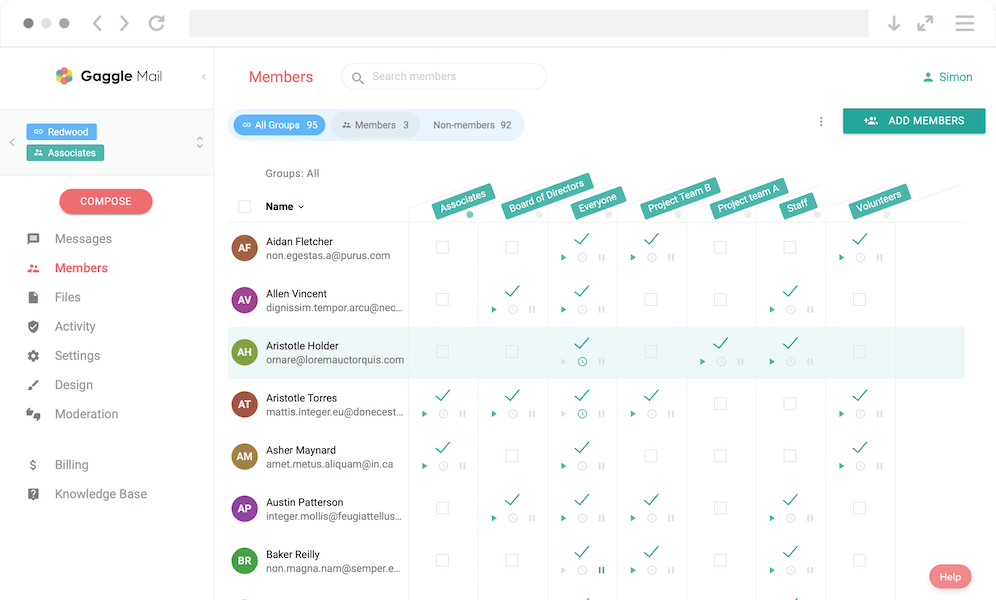
| Member management | Simple dashboard, bulk import, self-service join | Powerful but complex admin tools |
| Customisation | Logo, colours, custom domain (Premium) | Highly configurable (with technical effort) |
| Customer support | 24/7 real human support via email | Paid support contracts; community forums |
| Deliverability | Managed by Gaggle Mail with delivery reporting | Your responsibility (self-hosted) |
| Moderation | Built-in moderation and approval workflows | Extensive moderation options |
| Message archive | Fully searchable, accessible to all members | Archive available |
| Digest option | Daily digest available | Available |
| Account required | No | No |
| Migration | Free migration assistance available | N/A |
Where Gaggle Mail stands out
You are up and running in minutes. Creating a group on Gaggle Mail takes less than five minutes. There is no software to install, no servers to configure, no DNS records to wrestle with. You pick a name, set up your group address, and start adding members.
Zero maintenance burden. With Gaggle Mail, there is nothing to maintain. No servers, no security patches, no backup routines, no software updates. The service is fully managed.
Pricing that makes sense for everyone. Gaggle Mail is free for groups up to 200 members, which covers the vast majority of mailing lists. Paid plans start at $10/month. There are no license fees, no sales calls, and no annual contracts.
Deliverability is handled for you. Gaggle Mail manages SPF, DKIM, bounce handling, and IP reputation monitoring so your messages reach inboxes reliably.
Real people, real support. Gaggle Mail's support team are available 24/7. If you need help setting up your group, troubleshooting delivery, or migrating from Listserv, they will help.
A modern, clean interface. Both admins and members get an interface that feels like it belongs in 2026, with straightforward member management and settings.
Where Listserv still has a place
To be fair, Listserv is an incredibly powerful and configurable piece of software. If your organisation has specific, complex requirements - highly customised workflows, deep integration with on-prem systems, or compliance needs requiring self-hosting - Listserv can still be a fit. For many other organisations, a managed alternative is worth serious consideration.
Other Modern Listserv Alternatives
Groups.io
Groups.io is a feature-rich group email service that includes calendars, file storage, wikis, polls, and chat alongside core email functionality. It is a good choice for communities that need more than email.
Simplelists
Simplelists is a no-frills mailing list service that handles basics well. It can be a budget option, though it is less feature-rich than newer platforms.
GNU Mailman
GNU Mailman is free and open-source. It is capable, but self-hosted maintenance and deliverability overhead make it less suitable for non-technical teams.
Gmail and Google Groups
If your group already lives in Google, a Gmail contact label or a Google Group can stand in for a listserv for a small, low-traffic group. See how to create a listserv in Gmail for what each can and cannot do.
How they compare at a glance
| Feature | Gaggle Mail | Groups.io | Simplelists | GNU Mailman |
|---|---|---|---|---|
| Free tier | Up to 200 members | Up to 100 members | No | Yes (self-hosted) |
| Ease of use | Very easy | Moderate | Easy | Requires technical skills |
| Custom branding | Yes (Premium) | Yes (Enterprise) | Limited | Yes (with effort) |
| Support | 24/7 email support | Email support | Email support | Community only |
| Extra features | Focused on email | Calendars, wikis, chat, polls | Basic | Highly configurable |
| Hosting | Cloud (managed) | Cloud (managed) | Cloud (managed) | Self-hosted |
| Best for | Groups wanting simplicity and reliability | Groups needing collaboration tools | Budget-conscious groups | Technical teams wanting full control |
How to Migrate from Listserv to Gaggle Mail
Switching from Listserv does not have to be complicated. Here is the general process:
- Export your member list. Most Listserv installations let you export subscribers as CSV or text.
- Create your group on Gaggle Mail. Sign up, choose your group name and address.
- Import your members. Upload your member list or paste addresses directly.
- Configure your settings. Set moderation rules, branding, digest options, and preferences.
- Notify your members. Send a message explaining the switch and what to expect.
- Decommission Listserv when ready. Shut down the old instance after verifying everything works.
If you would rather not handle migration yourself, get in touch with Gaggle Mail support - they can help at no extra cost.
Enterprise ready. Still simple.
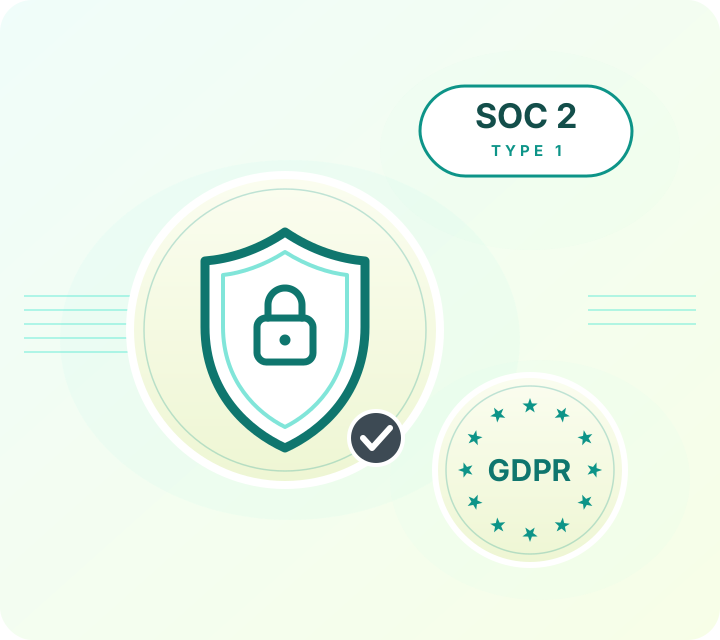
Gaggle Mail runs group email for law networks, healthcare organizations, universities, and global institutions. That means we take security review seriously: independently audited, fully documented, and ready for your IT and procurement checklist, while staying simple enough that your members never notice any of it.
- SOC 2 Type 1 audited
- 99.9% delivery rate
- GDPR compliant
- TLS encryption throughout
- Single sign-on (SSO) & MFA
- 24/7 human support
Security questionnaire or procurement requirements? Email help@gaggle.email and we'll get you what you need.
Frequently asked questions
Ready to Move to a Modern Email List?
Start for free - Gaggle Mail is free for groups up to 200 members, with no credit card required. If you are migrating from Listserv, the support team can help with the transition at no extra cost.
What people are saying
Join thousands of communities using Gaggle Mail
“Gaggle Mail transformed how our neighborhood association communicates. It's so intuitive that even our less tech-savvy members participate actively. The moderation tools are exactly what we needed.“

“Overall technical execution and ease-of-use make Gaggle Mail the best option in the market.“

“Solid, stable. Just works. Great interface. Works for everything we need.“

“Amazing alternative to google groups, which forces you to have a gmail account and is complex to join as a user.“

“Your service never fails and when we have questions, you respond immediately!“

“Outstanding service. Whenever we have a question or face an obstacle someone is there to assist.“

“It's straightforward. It works. No advertising banners. We love it!“

“The customer support is outstanding. Any questions we had while setting up our alumni network were answered promptly and thoroughly.“

“I love Gaggle Mail because I have never had a problem. It just works.“

“The migration from our old listserv was smooth and the interface is modern and clean. Our members adapted to it immediately.“

“I use it for a Boy Scout troop. I tried a couple of other applications and yours is by far the best.“