Mailman Migration Guide
How to Migrate From GNU Mailman to Gaggle Mail
GNU Mailman is free, capable, and battle-tested. The cost was never the licence — it is operational. Running Mailman means running a mail transfer agent, a web server, and a database, and for Mailman 3 a whole suite of separate components on top of that — plus deliverability, patching, backups, and monitoring, all on you.
Most teams do not leave Mailman because they dislike it. They leave when they hit the painful Mailman 2 → 3 upgrade, or when the one person who understood the setup moves on and nobody is left to keep it running.
This guide walks through exporting your roster and archives — accurately, for both Mailman 2.1 and Mailman 3 — and moving to Gaggle Mail, a managed group email service with no servers to maintain. If you would rather not do any of it yourself, the support team will handle the whole migration for free.
- Why teams leave self-hosted Mailman
- Before you migrate — a checklist
- Step 1 — Export your Mailman roster
- Step 2 — Export your archives
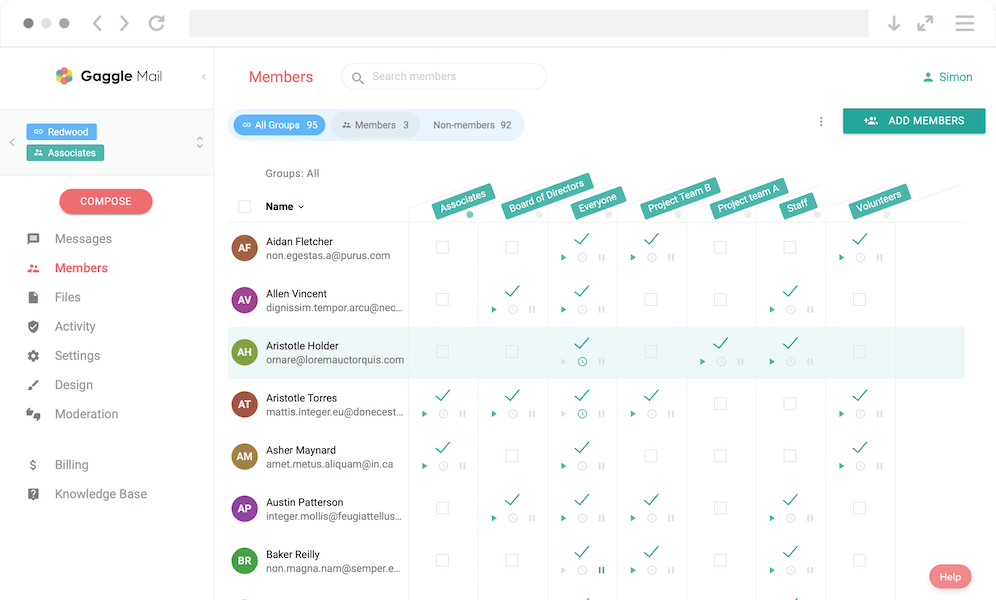
- Step 3 — Create your group & import members
- Step 4 — Notify members & decommission
- Worried about data loss & disruption?
- Gaggle Mail vs GNU Mailman
- Who should not switch
- FAQ
- Ready to move off Mailman?
Why Teams Leave Self-Hosted Mailman
To be clear, this is not a complaint about the software. Mailman is free, open-source, and genuinely powerful. The reason teams move is time and risk, not licensing.
Mailman 3 is a suite, not an app. A production install means running several independent components — Mailman Core, Postorius (the web admin), HyperKitty (the archiver), and the glue packages django-mailman3, mailmanclient, and mailman-hyperkitty. Each is installed and configured separately, and HyperKitty is still officially classified as beta. None of that is hard for an experienced engineer; all of it is ongoing work.
It needs real infrastructure underneath. Mailman expects an MTA (Postfix or Exim), a web server (Apache or Nginx), and a production database (PostgreSQL or MySQL). The runner processes consume meaningful memory, and every layer needs patching, monitoring, and backups.
The 2 → 3 upgrade is a migration, not a bump. Many installs still run Mailman 2.1, which is no longer actively developed. There is no turnkey path to Mailman 3 — the architecture, configuration, and database are all different, so upgrading is effectively a move to a new system. Facing that is often the trigger to reconsider self-hosting altogether.
Deliverability is entirely yours. SPF, DKIM, DMARC, IP reputation, bounce handling — all on you. After Gmail and Yahoo tightened sender requirements in 2024, keeping a self-hosted list out of spam folders became a job in itself.
If any of that sounds familiar, see the fuller breakdown on our Gaggle Mail vs Mailman page. Otherwise, read on for the migration itself.
Move off Mailman — start free. Gaggle Mail is free for groups up to 200 members, with no card required. Or get free migration help and the team will do it for you.
Before You Migrate — A Checklist
A few minutes of preparation makes the rest of this painless. Before you start, confirm:
- Access. Do you have server/admin access, or at least list-owner access to each list?
- Version. Are you running Mailman 2.1 or Mailman 3? The export steps differ — check the admin interface or ask your host.
- Scope. Which lists and which archives do you actually need to move?
- Communication. Plan a short announcement so members know the address is staying the same and nothing is being lost.
- Custom settings. Note any non-default behaviour — moderation rules, reply-to munging, digest schedules, subject prefixes — so you can recreate it.
Step 1 — Export Your Mailman Roster
Your subscriber list is the one thing you must get out cleanly. How you do it depends on your version and the access you have. Pick whichever route matches your setup.
Mailman 2.1 — from the web (roster page)
Log into the list admin page, then replace admin with roster in the URL to view the subscriber list:
https://yourdomain/mailman/roster/listnameOne catch: by default Mailman obfuscates addresses to deter scrapers. Before you copy, set Privacy options → "Show member addresses so they're not directly recognizable as email addresses" → No so the addresses are plain and copyable. Be sure to copy both the regular and digest member lists — they are shown separately.
Mailman 2.1 — by email
No web access handy? If you know the list admin password, email the who command to the list-request address:
To: listname-request@yourdomain
Subject: who ADMINPASSWORD
Mailman 2.1 — command line (or cPanel)
If you have shell access to the server (many cPanel hosts expose this too), the cleanest export is the built-in list_members tool:
list_members listname > members.txtMailman 3 — Postorius CSV export
In Mailman 3 the roster lives in Postorius. Open your list, go to the Members tab, and use Export to download a CSV.
One important caveat: the Postorius CSV contains email addresses only — no display names. Mailman 3 does not ship the Mailman 2 bin/list_members tool, so if you need to preserve members' names you will need database or CLI access to the server to pull them. For most migrations the addresses are all you need; names can be re-added later.
Step 2 — Export Your Archives
Mailman stores list archives as standard mbox files. On a typical install you will find the canonical archive at:
.../archives/private/LISTNAME.mbox/LISTNAME.mboxCopy that file off the server and keep it safe — mbox is a portable, standard format that any mail tool can read, so it is your durable record regardless of where the list ends up.
For Mailman 3, HyperKitty imports archives from exactly these mbox files via its hyperkitty_import command — useful to know, though note that attachment URLs can break when archives are moved between systems. Whatever you do next, hold on to the original mbox as your portable archive.
Step 3 — Create Your Gaggle Mail Group & Import Members
With your roster and archives in hand, the move itself is quick:
- Sign up for Gaggle Mail — no card required.
- Create your group and choose its address. You can keep the same list name your members already know.
- Import the roster. Paste the addresses from Step 1 or upload your CSV directly.
- Configure your settings to match the old list — moderation and approval rules, daily digest, reply-to behaviour, subject prefix, and branding.
To bring your history across, send your mbox files from Step 2 to the support team and they will import your full message archive so nothing is lost.
Step 4 — Notify Members & Decommission the Server
Send a short welcome message to the group on its new home so members know it is live and that nothing has changed for them. Confirm that messages are flowing both ways and that replies reach the whole list as expected.
Once you are happy, you can shut down the Mailman server for good — and reclaim the hosting bill, the patching, the backups, and the 2am pages along with it. No more MTA to tune, no more HyperKitty to babysit, no more upgrade hanging over you.
Move off Mailman — start free. Spin up your group in minutes, then get free migration help to bring your members and archives across.
Worried About Data Loss & Disruption?
The single biggest fear with any list migration is losing history or disrupting members. Here is why that does not happen with a careful move off Mailman:
Members keep their existing address. Nobody has to create an account or change how they email the group. They send to the list address exactly as before.
Your archive is preserved. The mbox you exported is a complete, portable copy of your history. It can be imported into Gaggle Mail, and you keep the original regardless.
Migration help is free. If you would rather not touch the export and import yourself, Gaggle Mail's team will do the whole thing for you at no cost.
No more 2am server fixes. Once you are across, deliverability, patching, and uptime are handled for you — the part of running Mailman that quietly consumed the most time.
Gaggle Mail vs GNU Mailman
The same list functionality, with the operational burden removed.
| Feature | Gaggle Mail | GNU Mailman |
|---|---|---|
| Licence cost | Free to 200 members; paid from $10/mo | Free, open-source |
| True cost | Subscription only | Server + maintenance + admin time |
| Hosting | Cloud, fully managed | Self-hosted |
| Components to run | None | Core + Postorius + HyperKitty + dependencies |
| Setup skill | None | Sysadmin / Python / MTA |
| Deliverability | Managed — dedicated IPs / SES | Your responsibility |
| Archive UI | Modern, searchable | HyperKitty (beta) |
| Support | 24/7 human support | Community only |
| Upgrades | Automatic | Manual; no turnkey 2→3 |
| Migration help | Free | N/A |
Who Should Not Switch
Honestly, not everyone should move. Mailman's real strength is total control of the stack, and some teams genuinely need that. If you are an engineering-led organisation that wants source-level control, if policy or data-sovereignty rules require you to self-host, or if you already have the staff and infrastructure to run a mail server well, then Mailman remains an excellent, free choice — keep it. Gaggle Mail is for the groups that want the outcome of a reliable mailing list without owning the operational overhead — the associations, education networks, and community groups for whom a server room was never the point. New to the category? Start with what is group email.
Enterprise ready. Still simple.
Gaggle Mail runs group email for law networks, healthcare organizations, universities, and global institutions. That means we take security review seriously: independently audited, fully documented, and ready for your IT and procurement checklist, while staying simple enough that your members never notice any of it.
- SOC 2 Type 1 audited
- 99.9% delivery rate
- GDPR compliant
- TLS encryption throughout
- Single sign-on (SSO) & MFA
- 24/7 human support
Security questionnaire or procurement requirements? Email help@gaggle.email and we'll get you what you need.
Frequently asked questions
Ready to Move Off Mailman?
Start for free - Gaggle Mail is free for groups up to 200 members, with no credit card required. Stop maintaining servers and let the support team handle your migration at no cost.
Compare Gaggle Mail vs Mailman
What people are saying
Join thousands of communities using Gaggle Mail
“Gaggle Mail transformed how our neighborhood association communicates. It's so intuitive that even our less tech-savvy members participate actively. The moderation tools are exactly what we needed.“

“Overall technical execution and ease-of-use make Gaggle Mail the best option in the market.“

“Solid, stable. Just works. Great interface. Works for everything we need.“

“Amazing alternative to google groups, which forces you to have a gmail account and is complex to join as a user.“

“Your service never fails and when we have questions, you respond immediately!“

“Outstanding service. Whenever we have a question or face an obstacle someone is there to assist.“

“It's straightforward. It works. No advertising banners. We love it!“

“The customer support is outstanding. Any questions we had while setting up our alumni network were answered promptly and thoroughly.“

“I love Gaggle Mail because I have never had a problem. It just works.“

“The migration from our old listserv was smooth and the interface is modern and clean. Our members adapted to it immediately.“

“I use it for a Boy Scout troop. I tried a couple of other applications and yours is by far the best.“