Group Email Service Guide
What Is a Group Email Service?
If you are running a club, an HOA, a church group, a school committee, or any kind of community, you have probably run into the same problem: how do you send an email to everyone in the group without it being a mess?
You could put everyone in the CC field, but that gets unwieldy fast, exposes everyone's email addresses, and falls apart the moment someone replies-all to the wrong thread. You could use an email marketing platform like Mailchimp, but that is built for newsletters and promotions, not for group conversations where members reply and discuss.
What you actually need is a group email service. And if you have not come across the category before, you are not alone, it is one of those tools that quietly solves a very common problem.
This guide explains what a group email service is, who it's for, how it differs from email marketing tools, and what to look for when choosing one.
Already know what group email is and just want to pick a service? Jump straight to our comparison of the best group email services — eight platforms, features, and current pricing side by side.
What Is a Group Email Service?
A group email service gives your group a single, shared email address, something like yourclub@gaggle.email, that forwards messages to every member. When someone sends an email to that address, everyone in the group receives it. When someone replies, the reply goes back to the group. It is simple two-way communication that works entirely through regular email.
This is different from email marketing platforms (Mailchimp, Brevo, MailerLite), which are designed for one-to-many broadcasts, sending newsletters and promotions to a subscriber list. With a group email service, every member can both send and receive. It is a conversation, not a broadcast.
It is also different from platforms like Slack or Microsoft Teams, which require everyone to install an app, log in, and check yet another inbox. Group email works through the email your members already use, whether that is Gmail, Outlook, Yahoo, or anything else.
Who Needs a Group Email Service?
Group email services are used by a surprisingly wide range of organizations:
Homeowners associations and neighborhood groups. Sending updates about maintenance schedules, board meetings, or community events where members need to reply and ask questions.
Clubs and societies. Book clubs, running clubs, gardening groups, and hobby communities that need coordination without making everyone install an app.
Churches and religious organizations. Communicating with congregations, committees, and volunteer teams where privacy and ease of use matter.
Schools and parent groups. PTAs, class parent groups, and team communications for busy parents who just need email to work.
Nonprofits and professional associations. Board communications, chapters, and working committees that need reliable delivery and a professional appearance.
Small businesses and internal teams. Lightweight communication channels for departments and project teams without collaboration software overhead.
The common thread is simple: these are groups of real people who need to communicate regularly, where everyone should be able to participate, and where simplicity and reliability matter more than feature overload.
How to Choose the Right Group Email Service
Not all group email services are the same. Here is what to look for:
- Ease of setup. A non-technical person should be able to create a group and add members in minutes.
- No account requirements for members. Members should participate with their existing email addresses.
- Reliable delivery. Deliverability is the core job, messages need to arrive in inboxes consistently.
- Real customer support. When something breaks, you should be able to reach a real person quickly.
- Customization and branding. Logo, color settings, and custom-domain options help your group look professional.
- Privacy. Your member list and message data should not be part of an ad business model.
- Fair pricing. Transparent pricing and a useful free tier are strong signs.
Why Groups Choose Gaggle Mail
Gaggle Mail is built specifically for communities, clubs, and organizations that want reliable group communication without complexity.
Simple enough for anyone to manage
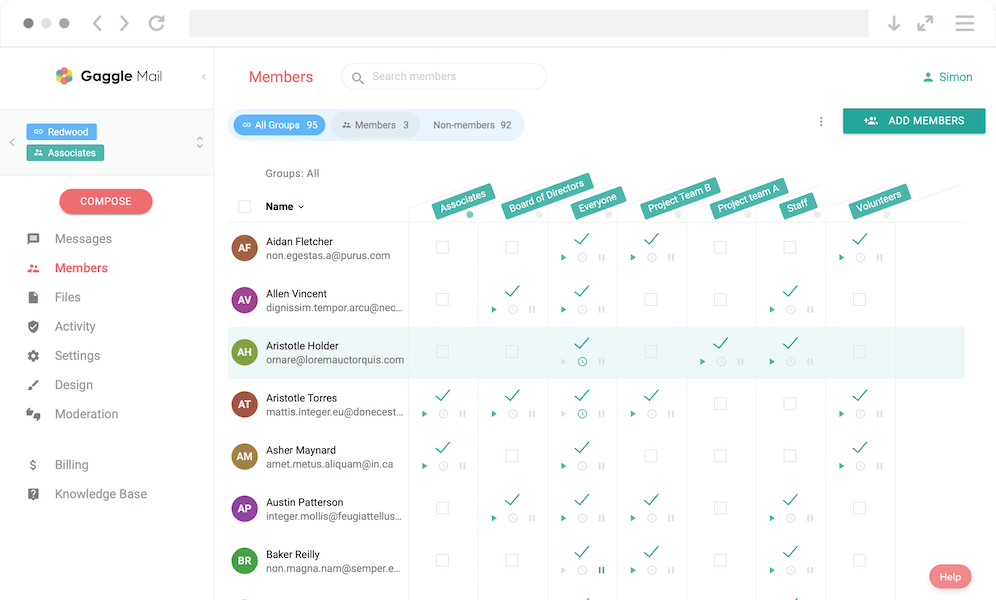
Creating a group takes under five minutes. Adding members is as easy as pasting a list of email addresses. The dashboard is clean and modern, and no technical expertise is required. This matters because group admins are usually volunteers, not IT professionals.
Works with any email address
Members can use Gmail, Outlook, Yahoo, iCloud, work addresses, and more. No app install, no account signup, no extra passwords. This is especially important for community groups where members range from teenagers to retirees.
Deliverability you can trust
Gaggle Mail handles the technical delivery stack including SPF, DKIM, bounce handling, and sender reputation monitoring, and provides delivery reporting so admins can verify what happened to each message. If a member says "I did not get that email," admins can check exactly what happened.
Real human support, 24/7
Support is handled by real people who respond by email and help with setup, imports, and delivery troubleshooting.
Customization that feels professional
You can add your logo, choose colors, and on Premium plans send from your own domain.
Privacy-first approach
Gaggle Mail is subscription-based, not ad-supported. There is no data mining or advertising model based on member messages.
A generous free tier
Gaggle Mail is free for up to 200 members with no credit card required and no time limit. Paid plans start at $10/month, and nonprofits get 20% off.
Group Email vs Email Marketing Platforms
If you searched for a mailing list service, you likely saw Mailchimp, Brevo, or MailerLite. They are excellent tools, but built for a different use case.
Email marketing platforms are one-to-many broadcasting tools focused on campaigns and conversion metrics. Group email services are for two-way communication among members.
If your group needs to have conversations, not just receive announcements, you want a group email service, not a marketing platform.
| Feature | Gaggle Mail (group email) | Mailchimp / Brevo (email marketing) |
|---|---|---|
| Purpose | Group conversation and discussion | One-to-many newsletters and promotions |
| Who can send? | Any group member | Only account owner/admin |
| Replies | Go to the whole group | Go to sender only (or nowhere) |
| Subscriber interaction | Two-way | One-way |
| Best for | Communities, clubs, HOAs, committees | Businesses, e-commerce, creators |
| Complexity | Simple, email-first workflow | Campaign builders and automation tools |
| Pricing model | Per-member style plans | Per-subscriber and/or per-send model |
Comparing Group Email Services
Gaggle Mail isn't the only group email service — Google Groups, Groups.io, Simplelists, LISTSERV, and others all serve the same category with different trade-offs in price, complexity, and support. Rather than duplicate that research here, we keep one detailed, regularly updated comparison:
Compare the best group email services — eight platforms reviewed side by side, with current pricing and an at-a-glance table.
Related reading: Google Groups alternative, Listserv alternative, what is a listserv, what is a mailing list, and Gaggle Mail pricing.
Frequently asked questions
Ready to Try a Group Email Service?
Start for free - Gaggle Mail is free for groups up to 200 members, with no credit card required.
What people are saying
Join thousands of communities using Gaggle Mail
“Gaggle Mail transformed how our neighborhood association communicates. It's so intuitive that even our less tech-savvy members participate actively. The moderation tools are exactly what we needed.“

“Overall technical execution and ease-of-use make Gaggle Mail the best option in the market.“

“Solid, stable. Just works. Great interface. Works for everything we need.“

“Amazing alternative to google groups, which forces you to have a gmail account and is complex to join as a user.“

“Your service never fails and when we have questions, you respond immediately!“

“Outstanding service. Whenever we have a question or face an obstacle someone is there to assist.“

“It's straightforward. It works. No advertising banners. We love it!“

“The customer support is outstanding. Any questions we had while setting up our alumni network were answered promptly and thoroughly.“

“I love Gaggle Mail because I have never had a problem. It just works.“

“The migration from our old listserv was smooth and the interface is modern and clean. Our members adapted to it immediately.“

“I use it for a Boy Scout troop. I tried a couple of other applications and yours is by far the best.“